
WinSpin Mobile
Most people play on a phone, and WinSpin is built for that. The site is one responsive application, so a phone browser reaches the same lobby, cashier and account tools you would see on a desktop. This page covers what that means in practice, including the parts that behave differently on a small screen.
Quick answer
Open the site in Safari or Chrome, log in, play. There is nothing to install.
Same account, same balance, same cashier as desktop. Switching devices mid-session changes nothing about the account.

What a single-page app means on a phone
The site is built as a JavaScript application, which has two practical consequences worth knowing before you decide something is broken. The first load is heavier than a traditional web page, because the whole application arrives before anything is drawn, and on a weak connection that shows up as a blank or half-built screen for a few seconds. After that, navigation is faster than a normal site, since moving between lobby, cashier and account does not reload the page.
An aggressive content blocker or a very old browser can also break rendering in ways that look like an outage. If controls are missing or a section will not open, a hard refresh, a private window, or turning off a blocker for that site fixes it far more often than waiting does.

Compatibility
iOS
Safari is the straightforward choice on iPhone and iPad. Any recent iOS version handles a modern casino front end without special settings. Third-party browsers on iOS use the same underlying engine, so they behave much the same.
Android
Chrome is the safe default, and most current Android devices run the lobby smoothly. Manufacturer-skinned default browsers vary more, so if something renders oddly, try Chrome before assuming a site fault.
Older phones are usually limited by the graphics load of individual games, and the demanding parts are feature-heavy slots and live video streams. A device that struggles will typically do so on those, and the lobby itself stays light.
The mobile cashier
Deposits and withdrawals run through the same cashier as desktop, laid out for a narrow screen. The method list is generated for your account and region, and it is the only authoritative source for what is actually available, so check it after you log in. See payment methods for the full picture, and deposit for the flow itself.
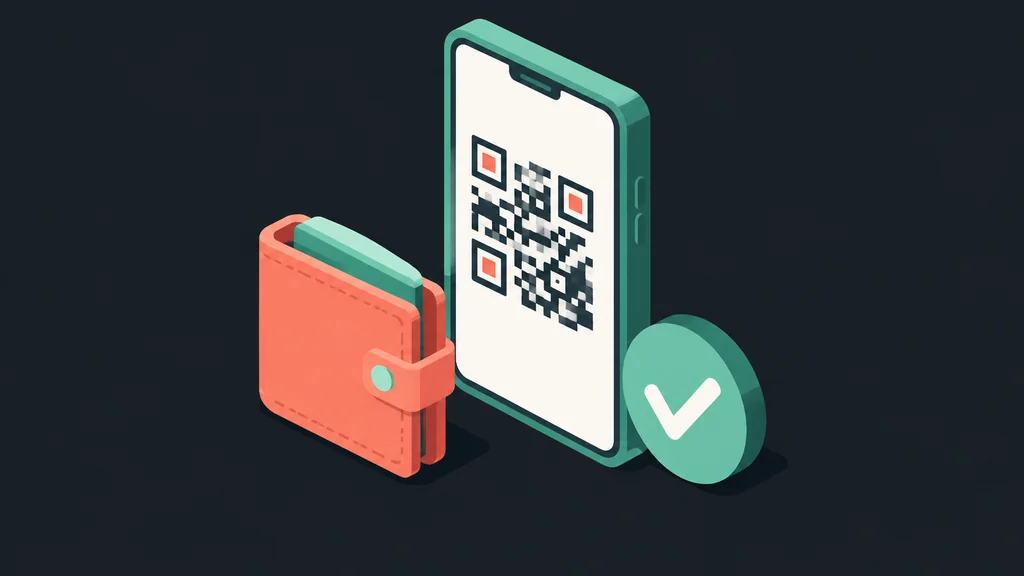
One genuinely mobile-specific point. Crypto deposits are easier on a phone than on a desktop, because the cashier's deposit address can usually be scanned as a QR code straight into a wallet app on the same device. That removes the copy-paste step where wrong-address mistakes happen.
| Welcome offer | 250% |
|---|---|
| Wagering | 40x |
| Minimum deposit | US$30 |
| Promo code | WILDVEGAS |
Data, battery and connection
Live tables use real data
Live dealer games are video streams and consume data accordingly. On a metered plan a long live session is noticeable in a way slots are not.
Slots are light
Slots load their assets once and then exchange very little data. They are the practical choice on a weak or limited connection.
Connection drops mid-round
Casino games resolve server-side, so a dropped connection does not void a spin. The result is applied to your balance and visible when you reconnect. Live tables are stricter, and a drop during a betting window can mean a missed hand.

Tips for a better session
- Use Wi-Fi for live dealer and game show formats, and cellular for slots.
- Rotate to landscape for live tables, since several formats are laid out for it and feel cramped in portrait.
- Keep the browser updated. Rendering problems with modern game engines usually come from an out-of-date browser.
- Bookmark the correct address after the first visit, because search results mix the genuine operator with unrelated brands and, occasionally, imitators.
- Set a session limit before you start. A phone in your hand removes the natural stopping points a desktop session has, which is exactly why they are worth setting deliberately. See responsible gambling.
- Log out on a shared device, and do not save the password in a browser other people use.

Common mobile issues and quick fixes
| Symptom | Likely cause | Fix |
|---|---|---|
| Blank or half-loaded screen | Weak connection during the initial app load | Wait a few seconds on Wi-Fi, or reload once signal improves |
| Buttons do not respond | Content blocker or outdated browser interfering with the single-page app | Disable the blocker for this site, or update the browser |
| Layout looks broken | Cached older version of the app shell | Hard refresh, or clear the browser's site data and reload |
| Live stream keeps buffering | Insufficient bandwidth for video | Switch to Wi-Fi, or move to a slot game |
| Logged out unexpectedly | Session timeout, or switching networks mid-session | Log back in, since balances are held server-side |
If none of these resolve it, the reliable next step is contacting support rather than guessing further. See login for account-access issues specifically, and try a different network before assuming the account itself is affected.
Making sure you are on the right site
Lookalike domains are a real problem in this space, with names one letter off from the real operator and the same games promised. Two habits remove almost all of the risk. First, bookmark the correct address after your first visit. Second, check the address bar shows a padlock and the expected domain before entering any credentials or payment details, on mobile as much as on desktop. Neither habit takes more than a few seconds, and both matter more on a phone, where a small screen makes a subtly wrong URL easier to miss.
Notifications and staying signed in
Browser-based play means there is no app to send push notifications, so anything time-sensitive, such as a promotion ending or a pending withdrawal, has to be checked by opening the site. Some mobile browsers support web push notifications from a site added to the home screen, which can partly close that gap, and whether it is offered here depends on the browser. Staying signed in is a separate, deliberate choice. It is convenient on a phone only you unlock, and worth turning off on any device someone else also uses. Both settings live in the browser, which is one more reason the home-screen shortcut covered on the app page is worth setting up if you play often.
Do I need to download anything?
No. The site runs in your phone's browser with no install step. See app for what installable options do and do not exist, and why third-party download files should be avoided.
Is the mobile version missing any features?
Not by design. It is the same responsive application, so lobby, cashier and account settings are all present. Screen size is the difference.
Can I deposit and withdraw from my phone?
Yes, through the same cashier as desktop, with the same methods available to your account. Crypto deposits are often easier on mobile thanks to QR scanning.
Why is a live game buffering?
Live dealer games are video streams and need more bandwidth than slots. Switching to Wi-Fi is the usual fix.
What happens if my connection drops mid-spin?
Slot results are determined server-side, so the outcome stands and appears when you reconnect. Live tables can be less forgiving if the drop lands during a betting window.
Can I switch between phone and desktop?
Yes. It is one account and one balance, so log in from either and pick up where you left off.